Front Panel Menu
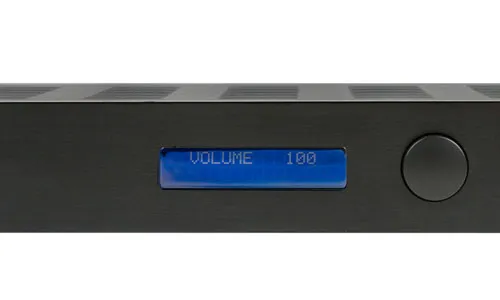
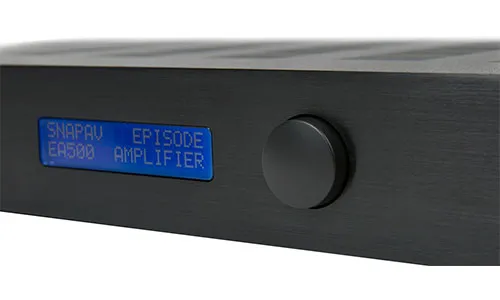
The front panel interface consists of a vacuum fluorescent display (VFD) and a rotary encoder with a push-button function. Press the encoder to enter a submenu, turn it to navigate between items or adjust a value, and press again to select or confirm. The VFD provides clear visibility in dark rack environments, which is one advantage over LCD alternatives.
The firmware drives the VFD through a 4-bit parallel GPIO interface using the HD44780 command set. Full details on the driver implementation, the priority compositor, and the 3-state menu machine are in the Display & Menu System firmware analysis page.
Menu Tree
Section titled “Menu Tree”The firmware’s menu state machine (FUN_00004e38) implements 10 menu items. The defaults and ranges below are confirmed from the settings validation function (FUN_000076c4) in the V1.19 firmware:
| Menu Item | Options | Default |
|---|---|---|
| CROSSOVER | 40 Hz – 260 Hz (variable step), LFE | LFE |
| SPEAKER EQ | FLAT, DUAL8, BSUB8, BSUB10, BSUB12, HSUB10 | FLAT |
| PHASE | 0, 45, 90, 135, 180, 225, 270, 315 degrees | 0 |
| SOUND MODE | BYPASS, MUSIC, MOVIE | BYPASS |
| NIGHT MODE | ON, OFF | OFF |
| POWER CONTROL | FRONT PANEL, 12V TRIGGER, AUDIO SENSE | FRONT PANEL |
| IR DEVICE ID | 1, 2, 3, 4 | 1 |
| LOCK CONTROLS | ON, OFF | OFF |
| FACTORY RESET | Displays “SW V1.19 RESET>”, then confirms | — |
Menu Details
Section titled “Menu Details”CROSSOVER sets the low-pass filter frequency. The LFE setting bypasses the internal crossover entirely, which is the correct choice when the upstream processor (AVR, DSP, or Control4 system) is handling bass management. When set to a frequency between 40 and 260 Hz, the D2-81431’s DSP applies a low-pass filter at that point. The finer 5 Hz resolution in the 40–100 Hz range gives more precise control where subwoofer crossover points are most commonly set.
SPEAKER EQ applies enclosure-specific equalization curves. The six presets in the V1.19 firmware:
| Preset | Full name | I2C commands | Target |
|---|---|---|---|
| FLAT | Flat response | 11 | No EQ correction |
| DUAL8 | Dual 8-inch | 13 | Dual 8” subwoofers |
| BSUB8 | Bass reflex 8-inch | 17 | Bass reflex 8” sub |
| BSUB10 | Bass reflex 10-inch | 17 | Bass reflex 10” sub |
| BSUB12 | Bass reflex 12-inch | 15 | Bass reflex 12” sub |
| HSUB10 | Horn-loaded 10-inch | 15 | Horn-loaded 10” sub |
The 2024 Rev B manual claims 16 presets. The V1.19 firmware contains exactly six — the additional presets may have been added in a newer firmware revision or may reside in the D2-81431’s EEPROM firmware.
PHASE adjusts the output phase in 45-degree increments across the 0°–315° range. This is implemented in the D2-81431’s DSP as an all-pass filter, which allows fine alignment with the main speakers at the crossover frequency without the frequency-dependent artifacts of a simple delay.
SOUND MODE applies bass contour adjustments. MUSIC and MOVIE each send 2 I2C commands to program a contour filter. BYPASS sends 2 I2C commands to load unity-gain coefficients.
NIGHT MODE enables dynamic range compression with a single I2C command. OFF removes the compressor from the signal chain. ON inserts it, reducing peak output levels for late-night listening.
POWER CONTROL selects how the amplifier turns on. FRONT PANEL requires manual power-on via the button. 12V TRIGGER activates on a signal at the trigger input (P0.20). AUDIO SENSE automatically powers on when audio signal is detected.
LOCK CONTROLS disables the front panel encoder to prevent accidental changes. When locked, the VFD compositor shows “LOCK” on line 2, overriding the power mode indicator. Hold the encoder for 10 seconds to unlock.
FACTORY RESET first displays " SW V1.19 RESET>" showing the firmware version, then asks ">ARE YOU SURE?" before resetting. All settings revert to compiled-in defaults: volume 50%, BYPASS mode, FLAT EQ, phase 0°, night mode off, front panel power control, mute ON. The mute-on default is deliberate — the amp starts silent after a reset.